Everything in this tutorial — especially the SYN scanning section — requires raw socket access and can be misused against systems you don’t control. The techniques and code here are for educational purposes only. Always obtain explicit written authorization before scanning systems you do not own. Unauthorized scanning may violate laws including the Computer Fraud and Abuse Act (CFAA) in the United States and similar legislation worldwide. Every example below targets scanme.nmap.org — a host Nmap explicitly provides for legal testing. Use the same standard for every other target.
Network scanning and reconnaissance in Go moves beyond the TCP connect scan from Part 1 into two things a connect scan can’t do: half-open SYN scanning, which crafts and sends raw packets instead of using the OS’s TCP stack, and UDP scanning, which has no handshake to lean on. Both require the gopacket library for raw packet construction and capture. This tutorial builds a working SYN scanner from scratch, then breaks down how Naabu — the production tool millions of downloads point to — implements the same ideas at scale.

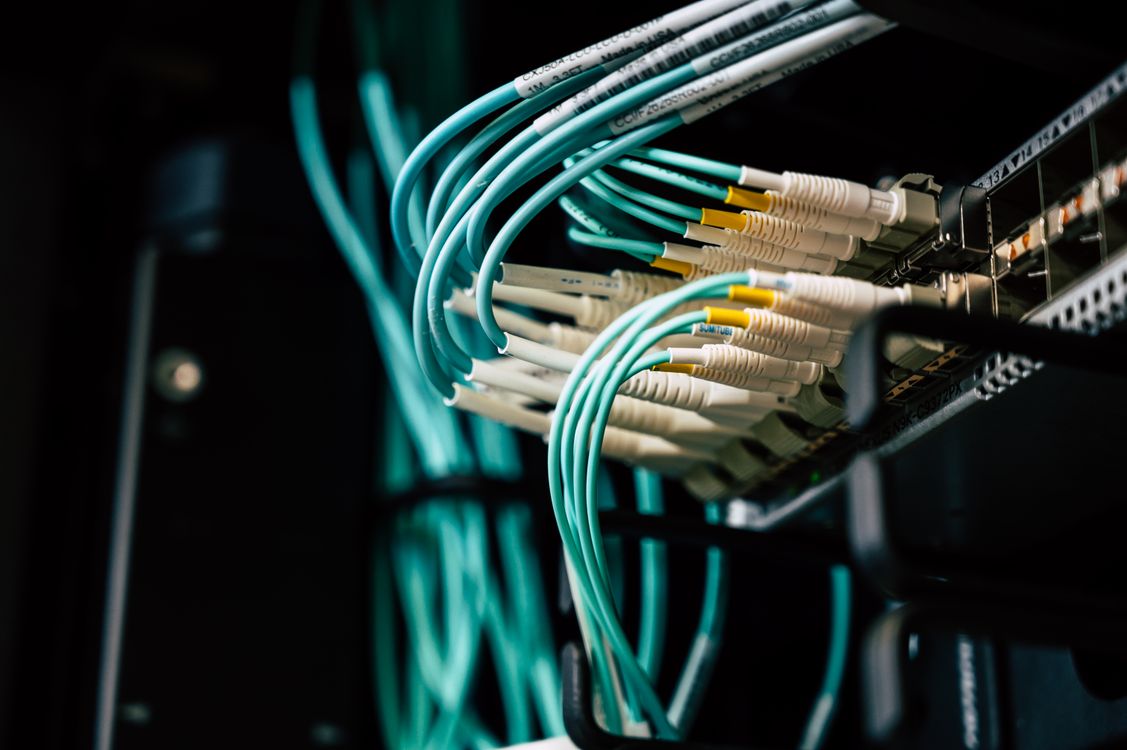
Photo by Brett Sayles on Pexels
In our TCP connect scanner tutorial, we built a scanner that completes the full three-way handshake on every port it checks. It works, it needs no special privileges, and it’s exactly what you should reach for first. But it has two limitations that matter once you’re doing real reconnaissance work: it’s noisy (a completed connection is logged everywhere — application logs, firewall logs, IDS alerts), and it can’t scan UDP at all, since UDP doesn’t have a handshake to complete.
For my developers out there who built that connect scanner: everything you learned about goroutines, channels, and the semaphore pattern carries forward here. What changes is what’s inside the goroutine — instead of calling net.DialTimeout and letting the OS handle the TCP handshake, we’re going to build the packets ourselves.
Quick Recap: Connect Scanning vs. What’s Next
To give some context on where the three scan types diverge:
- TCP Connect Scan (our earlier build): Full handshake via
net.DialTimeout. Reliable, unprivileged, but every attempt is a completed connection — visible in target-side logs. - SYN Scan (this article): Send SYN, read the response, send RST instead of completing the handshake. Nmap calls this a “half-open” scan. Requires raw socket access.
- UDP Scan (this article): No handshake exists. Open ports may not respond at all; closed ports typically trigger an ICMP “port unreachable” message. Absence of a response is ambiguous by design.
📋 Worth Knowing
Nmap’s default scan (-sS) is a SYN scan, not a connect scan. If you’ve ever run Nmap without thinking about which scan type it picked, this is the one you were using — and until now, you were trusting Nmap’s C code to do the packet crafting you’re about to do yourself in Go.
~Cipherceval
What a SYN Scan Actually Is
SYN Scan (Half-Open Scan) — A port scanning technique that sends a single TCP SYN packet to a target port and inspects the response without completing the three-way handshake. A SYN-ACK response means the port is open; an RST means it’s closed; no response (after retries) usually means it’s filtered by a firewall.
Walk through what happens on the wire:
- We send: a TCP packet with the SYN flag set, to the target port.
- Open port responds: SYN-ACK. A real client would now send ACK to complete the handshake — we don’t. We send RST instead, tearing down the half-open connection before the application layer ever sees it.
- Closed port responds: RST-ACK immediately. No connection was ever attempted at the application layer.
- Filtered port: nothing comes back. A firewall dropped the SYN silently.
The reason this matters: because we never complete the handshake, the target’s application never accepts the connection. No application-layer log entry gets written. The scan still shows up in firewall and IDS logs if anyone’s watching packet-level traffic — nothing about this is invisible — but it’s a fundamentally quieter signal than thousands of completed connections.
Why This Needs Raw Sockets (and Root)
Here’s the part that trips people up the first time: you can’t do this with net.Dial. That function hands packet construction to the OS’s TCP stack, which will insist on completing the handshake for you — the whole point of the standard library socket API is that you don’t have to think about packet headers.
A SYN scan requires writing the IP and TCP headers by hand and injecting the packet directly onto the wire, bypassing the OS’s TCP state machine entirely. That’s a raw socket, and every mainstream OS restricts who can open one — Linux requires either root or the CAP_NET_RAW capability, Windows requires Administrator, macOS requires root. This isn’t Go being difficult; it’s the same restriction Nmap, Naabu, and every other SYN scanner runs into, because it’s an OS-level control, not a language-level one.
In Go, the standard library doesn’t expose raw packet construction — that’s what gopacket (Google’s Go library for packet capture and processing) is for. It wraps libpcap/npcap for capture and gives you typed layers for building packets programmatically.
go get github.com/google/gopacket
go get github.com/google/gopacket/pcap
go get github.com/google/gopacket/layers
📋 Worth Knowing
On Linux you’ll typically run the scanner with sudo or grant it the capability directly: sudo setcap cap_net_raw+ep ./synscan. The second option is worth knowing about specifically because it means you don’t need to run the whole binary as root — just this one capability.
~Cipherceval
Building a SYN Scanner with gopacket
Stage 1: Crafting and Sending a Single SYN Packet
Let’s build up the packet layer by layer — Ethernet, IP, TCP — the same way gopacket expects them, then send it and listen for a reply.
package main

import (
	"fmt"
	"net"
	"sync/atomic"
	"time"

	"github.com/google/gopacket"
	"github.com/google/gopacket/layers"
	"github.com/google/gopacket/pcap"
)

// srcPortCounter hands out unique ephemeral source ports across concurrent
// scans. A time-based guess (UnixNano() % N) can collide between goroutines
// started in the same nanosecond window — see the callout below.
var srcPortCounter uint32

func nextSrcPort() layers.TCPPort {
	n := atomic.AddUint32(&srcPortCounter, 1)
	return layers.TCPPort(40000 + n%20000)
}

func synScanPort(iface, srcIP, dstIP string, srcMAC, dstMAC net.HardwareAddr, dstPort layers.TCPPort) (string, error) {
	handle, err := pcap.OpenLive(iface, 65536, true, pcap.BlockForever)
	if err != nil {
		return "", err
	}
	defer handle.Close()

	srcPort := nextSrcPort()

	// Filter down to just the reply we care about before we ever read a packet.
	// dst host matters too — without it, a reply from a NAT gateway or a second
	// interface on the target would slip past src host and get missed entirely.
	filter := fmt.Sprintf("tcp and src host %s and dst host %s and src port %d and dst port %d", dstIP, srcIP, dstPort, srcPort)
	if err := handle.SetBPFFilter(filter); err != nil {
		return "", err
	}

	// pcap.OpenLive captures at the link layer (Ethernet), so WritePacketData
	// needs a full frame — IP and TCP alone are not enough to put on the wire.
	eth := &layers.Ethernet{
		SrcMAC:       srcMAC,
		DstMAC:       dstMAC,
		EthernetType: layers.EthernetTypeIPv4,
	}
	ip := &layers.IPv4{
		SrcIP:    net.ParseIP(srcIP),
		DstIP:    net.ParseIP(dstIP),
		Protocol: layers.IPProtocolTCP,
		Version:  4,
		TTL:      64,
	}
	tcp := &layers.TCP{
		SrcPort: srcPort,
		DstPort: dstPort,
		SYN:     true,
		Window:  14600,
		Seq:     uint32(time.Now().UnixNano()),
	}
	if err := tcp.SetNetworkLayerForChecksum(ip); err != nil {
		return "", err
	}

	buf := gopacket.NewSerializeBuffer()
	opts := gopacket.SerializeOptions{FixLengths: true, ComputeChecksums: true}
	if err := gopacket.SerializeLayers(buf, opts, eth, ip, tcp); err != nil {
		return "", err
	}
	if err := handle.WritePacketData(buf.Bytes()); err != nil {
		return "", err
	}

	// Read the reply on a goroutine and race it against a timeout — a filtered
	// port never sends a reply at all, so we can't just range over the packet
	// channel and check a deadline inside the loop body. That loop never runs
	// for a filtered port, and "range" on an unread channel blocks forever.
	resultCh := make(chan string, 1)
	go func() {
		src := gopacket.NewPacketSource(handle, handle.LinkType())
		for packet := range src.Packets() {
			if tcpLayer := packet.Layer(layers.LayerTypeTCP); tcpLayer != nil {
				reply, _ := tcpLayer.(*layers.TCP)
				if reply.DstPort == srcPort {
					switch {
					case reply.SYN && reply.ACK:
						resultCh <- "open"
						return
					case reply.RST:
						resultCh <- "closed"
						return
					}
				}
			}
		}
	}()

	select {
	case status := <-resultCh:
		return status, nil
	case <-time.After(3 * time.Second):
		return "filtered", nil
	}
}
Notice what’s missing compared to Part 1: no net.DialTimeout, no OS-managed handshake. We built the Ethernet, IP, and TCP headers ourselves, set the SYN flag, computed the checksum against the IP layer, and wrote the raw bytes to the wire. The BPF filter (tcp and src host ... and dst host ... and src port ... and dst port ...) does the heavy lifting of ignoring everything on the interface that isn’t our reply — without the dst host clause, a reply arriving from a NAT gateway or a second interface on the target would match on source alone and still get missed.
📋 Worth Knowing
Where do srcMAC and dstMAC come from? Your own interface’s MAC is available via net.InterfaceByName(iface). The destination is your default gateway’s MAC for anything off your local subnet — you resolve it once via ARP and reuse it for every packet in the scan, not per-port. That resolution step is left out here to keep the SYN-crafting logic front and center; production scanners (Naabu included) do it once at startup.
~Cipherceval
🔍 Things to Consider
Why nextSrcPort() instead of the more obvious 40000 + time.Now().UnixNano() % 20000? Because Stage 2 fans this function out across many goroutines, and two goroutines can land on the same nanosecond-scale value. When that happens, both BPF filters match on the same src port/dst port pair, and one goroutine’s reply gets read by the other’s reader loop — a silent misreport, not a crash. An atomic counter guarantees uniqueness across the whole scan instead of hoping the clock doesn’t repeat.
~Cipherceval
🔍 Things to Consider
The time.After path fires before the reader goroutine ever gets a packet — that goroutine keeps blocking on pcap.BlockForever until handle.Close() runs on function return. Per-port that’s harmless since the deferred close cleans it up immediately after. It stops being harmless the moment you switch to one shared handle across many ports (Stage 2’s optimization note below) — at that point a stray reader goroutine per port turns into a real leak, and the demultiplexing needs to happen on reads from a single long-lived handle instead.
~Cipherceval
Stage 2: Scanning a Range Concurrently
The concurrency pattern from Part 1 applies directly — same semaphore, same WaitGroup, same results channel. The only difference is what runs inside each goroutine:
func synScanRange(iface, srcIP, dstIP string, srcMAC, dstMAC net.HardwareAddr, startPort, endPort int, concurrency int) map[int]string {
	results := make(map[int]string)
	resultsCh := make(chan struct {
		port   int
		status string
	}, endPort-startPort+1)

	sem := make(chan struct{}, concurrency)
	var wg sync.WaitGroup

	for port := startPort; port <= endPort; port++ {
		wg.Add(1)
		sem <- struct{}{}
		go func(p int) {
			defer wg.Done()
			defer func() { <-sem }()

			status, err := synScanPort(iface, srcIP, dstIP, srcMAC, dstMAC, layers.TCPPort(p))
			if err != nil {
				status = "error"
			}
			resultsCh <- struct {
				port   int
				status string
			}{p, status}
		}(port)
	}

	go func() {
		wg.Wait()
		close(resultsCh)
	}()

	for r := range resultsCh {
		results[r.port] = r.status
	}
	return results
}
🔍 Things to Consider
Opening one pcap.OpenLive handle per goroutine, like Stage 1 does, works for a tutorial but doesn’t scale — you’ll exhaust file descriptors fast at high concurrency. Production scanners open a single shared pcap handle for the interface and demultiplex replies to the right goroutine using the source port as a key, the same conceptual pattern as the results channel above, just applied to reads instead of writes.
~Cipherceval
UDP Scanning: No Handshake, No Certainty
UDP Scanning — Determining port state on a connectionless protocol by sending a UDP packet and classifying the response: an ICMP “port unreachable” message means closed, a UDP response means open, and silence is ambiguous — it could mean open (the service just doesn’t reply to unsolicited data), or filtered.
UDP doesn’t have a handshake, so there’s nothing to half-complete. The entire scan logic changes:
- Send a UDP packet to the target port.
- If you get an ICMP Type 3, Code 3 (port unreachable) back, the port is closed. This is the one unambiguous signal UDP scanning gives you.
- If you get a UDP response, the port is open and something answered.
- If you get nothing, the port is open|filtered — genuinely ambiguous. Many UDP services (DNS, SNMP, NTP) simply don’t respond to malformed or empty probes, so silence doesn’t tell you the port is closed.
That ambiguity is exactly why UDP scans take longer and report less confidently than TCP scans — Nmap’s own documentation is upfront that “open|filtered” is often the honest answer, not a scanner limitation.
func udpProbe(dstIP string, port int, timeout time.Duration) string {
	conn, err := net.DialTimeout("udp", fmt.Sprintf("%s:%d", dstIP, port), timeout)
	if err != nil {
		return "error"
	}
	defer conn.Close()

	conn.SetDeadline(time.Now().Add(timeout))
	_, err = conn.Write([]byte{}) // empty probe; protocol-specific probes get better results
	if err != nil {
		if errors.Is(err, syscall.ECONNREFUSED) {
			return "closed" // ICMP port-unreachable already landed on this socket
		}
		return "error"
	}

	buf := make([]byte, 512)
	_, err = conn.Read(buf)
	if err == nil {
		return "open" // got a UDP response back
	}
	if errors.Is(err, syscall.ECONNREFUSED) {
		return "closed" // ICMP port-unreachable arrived after the write
	}
	// A read timeout here is the ambiguous case — no ICMP came back either.
	return "open|filtered"
}
Notice this one uses net.DialTimeout again, not raw packets — sending a UDP datagram doesn’t require raw sockets. The “connected” UDP socket net.DialTimeout gives you is what makes the closed-port case detectable at all: on Linux, an ICMP port-unreachable reply gets mapped onto that socket’s next read or write as ECONNREFUSED, without a separate raw ICMP capture. That mapping is Linux-specific and timing-dependent — the ICMP has to arrive before you next touch the socket — which is why production scanners still fall back to an explicit ICMP listener (the same gopacket capture pattern as the SYN scanner, filtered for icmp instead of tcp) for a portable, race-free signal.
Case Study: How Naabu Scans at Scale
Naabu — ProjectDiscovery’s port scanner, written in Go — is a good place to see these exact patterns applied at production scale, since it’s open source and supports both SYN and connect scanning, with privilege-aware behavior baked in.
The reason this matters: what you just built and what Naabu does are the same architecture, not a different one. Three things scale it up from tutorial to production tool:
Scan type is explicit, not silently assumed. Naabu’s -s flag picks SYN or CONNECT, the same choice we’ve been making manually throughout this article. Run it without root and pick SYN anyway, and it logs exactly what you’d expect — Running CONNECT scan with non root privileges — rather than crashing. It’s the same “degrade gracefully” instinct the Part 1 connect scanner needs zero privileges for, applied at the tool’s boundary instead of buried in a crash log.
Host discovery, opted into rather than assumed. Naabu doesn’t skip dead hosts by default — SYN-scanning every port on every IP in a range, live or not, is the baseline behavior. Host discovery (ICMP echo, ARP, or a small set of common TCP ports) is available behind its own flag, off by default. That’s a deliberate trade-off worth noticing: discovery costs time up front to save time later, and the tool leaves that choice to you instead of making it invisibly.
Rate limiting as a first-class concern. A SYN scanner with no rate limit will happily fill the OS’s send buffer faster than the network can carry the packets, dropping your own outbound traffic before it ever reaches the target. Naabu exposes an explicit rate flag for exactly this reason — the semaphore pattern from Part 1 controls concurrency, but concurrency and packet rate are not the same knob when you’re bypassing the OS’s own flow control by using raw sockets.
How Defenders Detect Scanning Like This
Everything above is easier to defend against once you understand what it looks like from the other side of the connection.
Half-open connection counters. A SYN scan leaves the target holding SYN-RECEIVED state for every port it probes, briefly, since no ACK ever arrives to complete it. A sudden spike in half-open connections from a single source IP, especially spread across sequential ports, is one of the oldest and still most reliable SYN scan signatures — this is what Snort’s stream5 preprocessor and most IDS/IPS platforms watch for.
Sequential port patterns. Legitimate traffic doesn’t touch ports 1 through 1024 in order over a few seconds. That pattern, regardless of scan type, is reconnaissance — either from a threat actor or from your own team running an authorized scan that should have been announced first.
ICMP unreachable volume. A UDP scan generates a burst of ICMP port-unreachable responses from your own host back to the scanner — that’s outbound traffic from your side that’s worth alerting on too, not just inbound scan traffic.
🔍 Things to Consider
If you’re on a security team, this is the argument for running your own authorized SYN scans against your perimeter on a schedule: it tells you what your IDS actually catches, using a known, controlled event, instead of hoping the first real reconnaissance attempt against you gets flagged correctly.
~Cipherceval
Frequently Asked Questions
What is the difference between a SYN scan and a connect scan?
A connect scan completes the full TCP three-way handshake using the operating system’s normal socket API, which requires no special privileges but generates a completed connection visible to the target application. A SYN scan sends only the initial SYN packet and reads the response without completing the handshake, requiring raw socket access (root or an equivalent capability) but producing a quieter, half-open connection that never reaches the target’s application layer.
Why does SYN scanning require root or administrator privileges?
SYN scanning requires constructing raw IP and TCP packets and injecting them directly onto the network interface, bypassing the operating system’s TCP state machine. Every mainstream OS restricts this raw socket access to privileged users — root on Linux and macOS, Administrator on Windows — or a specific capability like Linux’s CAP_NET_RAW, because unrestricted raw packet access could be used to spoof traffic or bypass normal network controls.
What Go library is used for raw packet construction?
gopacket, Google’s Go library for packet capture and processing, is the standard choice for building and capturing raw packets in Go. It wraps libpcap (or npcap on Windows) for packet capture and provides typed layers — Ethernet, IPv4, TCP, ICMP, and others — that can be composed and serialized into raw bytes for transmission, or parsed back out of captured traffic.
Why is UDP scanning less reliable than TCP scanning?
UDP has no handshake, so a scanner can only draw a firm conclusion when a closed port replies with an ICMP port-unreachable message. If no response arrives at all, the port could be open (many UDP services silently ignore unsolicited or malformed probes) or filtered by a firewall — the scanner has no way to distinguish the two, which is why UDP scan results are frequently reported as “open|filtered” rather than a definite state.
How does Naabu decide between SYN scanning and connect scanning?
Naabu’s -s flag selects the scan type explicitly — SYN or CONNECT. SYN scanning requires raw socket privileges; running it without root doesn’t crash the tool, but it does log that it’s proceeding without the privileges the scan type normally needs. It’s the same manual choice this article makes throughout, exposed as a command-line flag rather than left to the code.
What This Project Actually Teaches
The jump from Part 1 to here is really a jump in trust: in the connect scanner, you trusted the OS to handle the handshake correctly. Here, you took that job yourself — building headers by hand, computing your own checksums, filtering your own capture stream. Nothing about TCP or UDP is more mysterious after this than the port scanner made concurrency mysterious; you’ve just moved one layer down the stack.
That’s also, not coincidentally, exactly what separates a scanner you understand from a scanner you just run. Nothing is hack-proof, and no single tool tells you everything about your attack surface — but a SYN scanner you built yourself is one you can actually reason about when the results look strange.
Stay vigilant, stay curious, and update your stuff.
— Cipherceval / Forgebound Research
Exploit Brokers by Forgebound Research
Disclaimer: The content presented by Exploit Brokers by Forgebound Research is for educational and informational purposes only. Cipherceval is a cybersecurity educator and commentator — not your personal security consultant, legal counsel, or professional advisor. The information shared here reflects publicly available research, industry reporting, and the host’s personal perspective. It does not constitute professional security consulting or individualized guidance for your specific environment. Always consult with qualified professionals for decisions affecting your systems and security posture.
Technical Disclaimer: The techniques discussed here are for educational purposes only. Always obtain explicit written authorization before testing systems you do not own. Unauthorized access to computer systems is illegal under laws including the Computer Fraud and Abuse Act (CFAA) in the US and similar legislation worldwide.


Leave a Reply