
The techniques and code in this tutorial are for educational purposes only. Always obtain explicit written authorization before scanning systems you do not own. Unauthorized port scanning may violate laws including the Computer Fraud and Abuse Act (CFAA) in the United States and similar legislation worldwide. The examples in this article use scanme.nmap.org — a host explicitly provided by Nmap for legal testing. Use the same standard for every other target.
A port scanner in Go works by attempting TCP connections to a range of ports on a target host using net.DialTimeout. If the connection succeeds, the port is open. Go’s goroutines and channels make it straightforward to run hundreds of these connection attempts concurrently — turning what would be hours of sequential scanning into seconds. This tutorial builds from a 20-line sequential scanner to a full concurrent CLI tool.

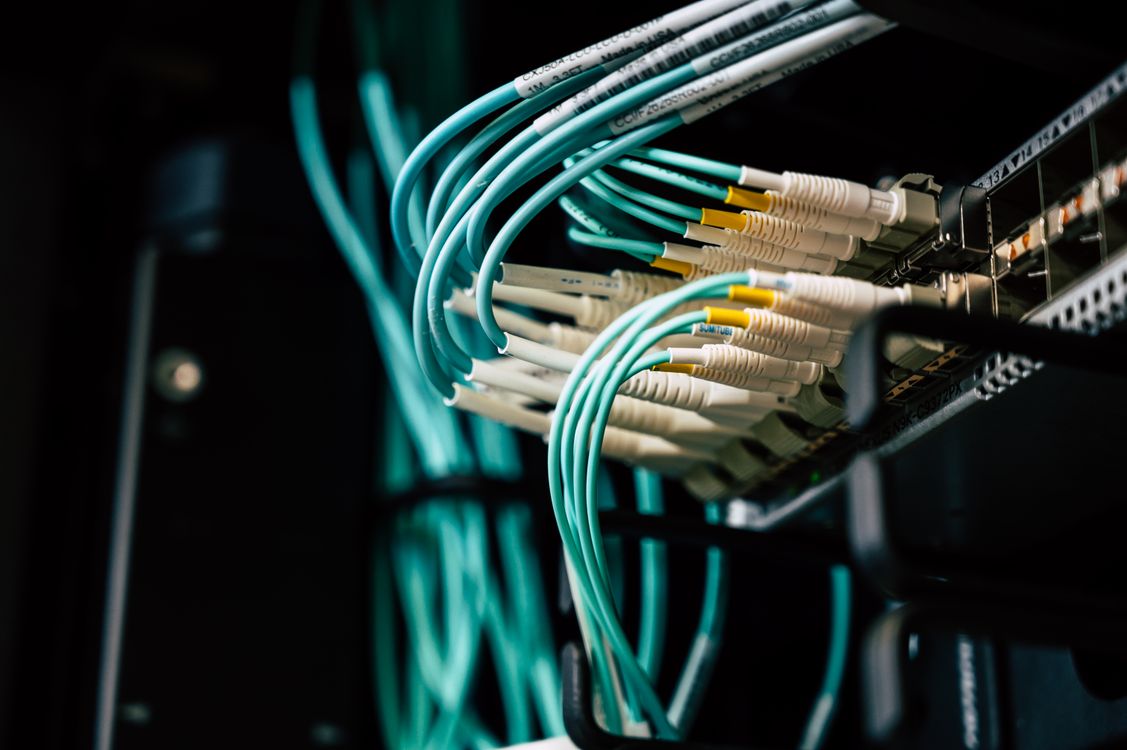
Photo by Stanislav Kondratiev on Pexels
For my developers out there — here’s one of those projects that teaches you more about Go concurrency than most tutorials do, and produces something actually useful at the end of it. A port scanner is simple enough to understand completely and complex enough that building it correctly requires you to work with goroutines, channels, WaitGroups, mutexes, and CLI flag parsing — essentially a tour of Go’s concurrency model in one project.
It’s also a fundamental tool in network security. Understanding how port scanners work is useful whether you’re building one, defending against one, or just trying to understand how tools like Nmap operate under the hood. We’ll cover all three.
What Port Scanning Actually Is
Port Scanning — The process of systematically attempting to connect to a range of network ports on a target host to determine which ports accept connections (open), reject connections (closed), or don’t respond at all (filtered). Used in network auditing, penetration testing, vulnerability management, and reconnaissance.
Think of a server like a building with 65,535 doors. Each door is a port. Some doors are open — there’s a service behind them that will accept connections. Some doors are closed — nothing is listening. And some doors have a guard in front that says “go away.”
A port scanner knocks on every door and notes which ones open.
To give some context: network ports are numbered 0–65535. Well-known services use specific ports by convention — HTTP is typically port 80, HTTPS is 443, SSH is 22, FTP is 21. When a port scanner finds port 22 open on a host, it’s telling you “there’s likely an SSH server running here.” When it finds an unexpected port open, that’s worth investigating.
There are two main types of port scans:
- TCP Connect Scan: Completes the full TCP handshake (SYN → SYN-ACK → ACK). This is what we’ll build — it’s the most reliable and doesn’t require elevated privileges.
- SYN Scan (half-open): Sends a SYN packet and waits for SYN-ACK, then sends RST without completing the handshake. Requires raw socket access (root/admin). This is what Nmap’s default scan does.
Our implementation uses TCP connect scanning — complete connections, using Go’s standard net package. No root required.
Why Go Is the Right Tool for This
The core challenge in port scanning is that most ports on most hosts are closed or filtered. You’re going to attempt thousands of connections that will fail — the question is how fast you can fail at all of them.
In a sequential scanner, this is a serious problem. If your timeout is 3 seconds per port and you’re scanning 1,024 ports, the worst case is 3,072 seconds — about 51 minutes. For 65,535 ports, that’s over 54 hours. That’s not a scanner, that’s a geological timescale.
Concurrency is the solution, and Go makes concurrency unusually approachable:
- Goroutines: Lightweight concurrent functions. You can spin up thousands of them — they’re not OS threads, so the overhead is minimal.
- Channels: The safe, idiomatic way for goroutines to communicate. We’ll use a buffered channel as a semaphore to limit concurrent connections, and another channel to collect results.
sync.WaitGroup: Coordinates when all goroutines have finished before the program exits.net.DialTimeout: Makes TCP connections with a timeout, all in the standard library.- No dependencies: Everything we need is in Go’s standard library. The final binary runs anywhere without runtime dependencies.
📋 Worth Knowing
The “semaphore pattern” used in this tutorial — a buffered channel limiting concurrent goroutines — appears throughout Go network tools. Understanding how it works here translates directly to building other concurrent network utilities: banner grabbers, DNS resolvers, web crawlers, vulnerability scanners.
~Cipherceval
Prerequisites
To follow this tutorial, you’ll need:
- Go installed (1.20+ recommended — see go.dev/dl)
- Basic familiarity with Go syntax — functions, loops, if statements
- Understanding of what goroutines and channels are at a conceptual level helps, but isn’t required — we’ll cover them as we use them
To verify your Go installation:
go versionWe’ll use scanme.nmap.org for all examples — it’s a host maintained by the Nmap project specifically for testing port scanners and network tools. It’s the legal, correct target for this kind of development and testing.
New to Go entirely? Our Golang build and run tutorial covers the basics this guide assumes.
Stage 1: Basic Sequential Port Scanner
Before adding concurrency, understand what you’re making concurrent. The sequential version is short enough to fit on a single screen and demonstrates the core mechanism clearly.
scanner_v1.go — Sequential
~20 lines. One port at a time. Slow — but correct, and easy to understand.
package main

import (
	"fmt"
	"net"
	"time"
)

func scanPort(host string, port int) bool {
	address := fmt.Sprintf("%s:%d", host, port)
	conn, err := net.DialTimeout("tcp", address, 3*time.Second)
	if err != nil {
		return false
	}
	conn.Close()
	return true
}

func main() {
	host := "scanme.nmap.org" // Legal test target

	fmt.Printf("Scanning %s — ports 1-1024...\n", host)
	for port := 1; port <= 1024; port++ {
		if scanPort(host, port) {
			fmt.Printf("Port %d/tcp  OPEN\n", port)
		}
	}
	fmt.Println("Done.")
}scanner_v1.go and run with go run scanner_v1.goHow This Works
The key function is scanPort. Let’s trace through it:
fmt.Sprintf("%s:%d", host, port) builds the address string in the format Go’s net package expects — hostname:port, like scanme.nmap.org:80.
net.DialTimeout("tcp", address, 3*time.Second) attempts to establish a TCP connection to that address, with a 3-second timeout. If the port is open and a service is listening, the TCP three-way handshake completes and a net.Conn is returned. If the port is closed or filtered, an error is returned.
On success, conn.Close() cleanly terminates the connection. This is important — leaving connections open can cause resource exhaustion and may look worse from a detection standpoint.
The main loop runs through ports 1–1024 sequentially, printing any that return true.
The Speed Problem
Run this and check how long it takes. On a host with a few filtered ports, you’re waiting up to 3 seconds per unresponsive port. 1,024 ports at 3 seconds each = up to 51 minutes if everything is filtered. For a real scan, that’s not workable.
That’s what Stage 2 fixes.
Stage 2: Concurrent Port Scanner with Goroutines
The concurrent version runs multiple port scans simultaneously. Instead of waiting for port 1 to time out before trying port 2, we launch goroutines for many ports at once — limited by a semaphore to avoid overwhelming the network stack or triggering rate limiting on the target.
scanner_v2.go — Concurrent with Semaphore
~50 lines. 100 goroutines at a time. Minutes instead of hours.
package main

import (
	"fmt"
	"net"
	"sort"
	"sync"
	"time"
)

func scanPort(host string, port int, timeout time.Duration) bool {
	address := fmt.Sprintf("%s:%d", host, port)
	conn, err := net.DialTimeout("tcp", address, timeout)
	if err != nil {
		return false
	}
	conn.Close()
	return true
}

func main() {
	host := "scanme.nmap.org"
	timeout := 3 * time.Second
	concurrency := 100

	var mu sync.Mutex
	var openPorts []int

	// Semaphore: buffered channel limits concurrent goroutines
	sem := make(chan struct{}, concurrency)
	var wg sync.WaitGroup

	for port := 1; port <= 1024; port++ {
		wg.Add(1)
		sem <- struct{}{} // Acquire slot (blocks if concurrency limit is reached)
		go func(p int) {
			defer wg.Done()
			defer func() { <-sem }() // Release slot when goroutine finishes

			if scanPort(host, p, timeout) {
				mu.Lock()
				openPorts = append(openPorts, p)
				mu.Unlock()
			}
		}(port)
	}

	wg.Wait()          // Wait for all goroutines to finish
	sort.Ints(openPorts) // Sort because goroutines complete out of order

	fmt.Printf("\nOpen ports on %s:\n", host)
	for _, port := range openPorts {
		fmt.Printf("  %d/tcp  OPEN\n", port)
	}
}scanner_v2.go and run with go run scanner_v2.go. Compare the speed to v1.Breaking Down the Concurrency Patterns
The Semaphore (Buffered Channel as Rate Limiter)
sem := make(chan struct{}, concurrency) creates a buffered channel with a capacity of 100. Each slot in the channel represents permission to run a goroutine.
Before launching each goroutine, we send an empty struct into the channel: sem <- struct{}{}. If the channel is full (100 goroutines already running), this line blocks — the main goroutine pauses until a slot opens. When a goroutine finishes, it releases its slot: <-sem. This creates a pool of exactly concurrency active goroutines at any moment.
This is the Go semaphore pattern. You’ll see it in almost every concurrent Go network tool.
sync.WaitGroup — Knowing When Everyone Is Done
wg.Add(1) increments a counter before each goroutine. wg.Done() (deferred inside each goroutine) decrements it when the goroutine finishes. wg.Wait() blocks the main goroutine until the counter reaches zero — meaning all launched goroutines have completed.
Without wg.Wait(), the program would exit before the goroutines finish, and you’d see incomplete results.
sync.Mutex — Protecting Shared State
Multiple goroutines appending to the same slice concurrently is a data race. mu.Lock() ensures only one goroutine can append at a time. The mutex is unlocked with mu.Unlock() (not deferred here since the lock scope is minimal).
Goroutines complete in unpredictable order, so we sort.Ints(openPorts) before printing — giving clean, ordered output regardless of which goroutine finished first.
Stage 3: Full CLI Tool with Flags and Banner Grabbing
Stage 2 is functional, but hard-coded. Stage 3 turns it into a usable CLI tool with configurable flags, port range selection, concurrency control, and optional banner grabbing.
Banner Grabbing — Reading the initial text a service sends when a TCP connection is established. SSH servers might say SSH-2.0-OpenSSH_8.9, FTP servers announce their software, HTTP servers respond with headers. Banner grabbing helps identify which service is running on an open port, not just that the port is open.
scanner_v3.go — Full CLI Tool
~120 lines. Configurable flags, any port range, optional banner grabbing, clean output.
package main

import (
	"flag"
	"fmt"
	"net"
	"os"
	"sort"
	"sync"
	"time"
)

type Result struct {
	Port   int
	Banner string
}

// grabBanner reads the service banner on an established connection.
// Returns the first line, truncated to 80 characters.
func grabBanner(conn net.Conn, timeout time.Duration) string {
	conn.SetDeadline(time.Now().Add(timeout))
	buf := make([]byte, 1024)
	n, err := conn.Read(buf)
	if err != nil || n == 0 {
		return ""
	}
	banner := string(buf[:n])
	for i, c := range banner {
		if c == '\n' || c == '\r' {
			banner = banner[:i]
			break
		}
	}
	if len(banner) > 80 {
		banner = banner[:80] + "..."
	}
	return banner
}

func scanPort(host string, port int, timeout time.Duration, withBanner bool) (bool, string) {
	address := fmt.Sprintf("%s:%d", host, port)
	conn, err := net.DialTimeout("tcp", address, timeout)
	if err != nil {
		return false, ""
	}
	defer conn.Close()

	if withBanner {
		return true, grabBanner(conn, 2*time.Second)
	}
	return true, ""
}

func main() {
	host := flag.String("host", "", "Target host to scan (required)")
	startPort := flag.Int("start", 1, "Starting port number (default: 1)")
	endPort := flag.Int("end", 1024, "Ending port number (default: 1024)")
	concurrency := flag.Int("c", 100, "Number of concurrent goroutines (default: 100)")
	timeoutSec := flag.Int("t", 3, "Connection timeout in seconds (default: 3)")
	banner := flag.Bool("banner", false, "Grab service banners from open ports")
	flag.Parse()

	if *host == "" {
		fmt.Fprintln(os.Stderr, "Error: -host flag is required")
		fmt.Fprintln(os.Stderr, "Usage: scanner -host scanme.nmap.org [-start 1] [-end 1024] [-c 100] [-t 3] [-banner]")
		os.Exit(1)
	}

	if *startPort < 1 || *endPort > 65535 || *startPort > *endPort {
		fmt.Fprintln(os.Stderr, "Error: port range must be between 1 and 65535")
		os.Exit(1)
	}

	timeout := time.Duration(*timeoutSec) * time.Second
	total := *endPort - *startPort + 1

	fmt.Printf("Scanning %s (ports %d-%d) | concurrency: %d | timeout: %ds\n",
		*host, *startPort, *endPort, *concurrency, *timeoutSec)

	results := make(chan Result, total)
	sem := make(chan struct{}, *concurrency)
	var wg sync.WaitGroup

	for port := *startPort; port <= *endPort; port++ {
		wg.Add(1)
		sem <- struct{}{}
		go func(p int) {
			defer wg.Done()
			defer func() { <-sem }()

			open, b := scanPort(*host, p, timeout, *banner)
			if open {
				results <- Result{Port: p, Banner: b}
			}
		}(port)
	}

	// Close results channel after all goroutines finish
	go func() {
		wg.Wait()
		close(results)
	}()

	// Collect all results (ranging blocks until channel is closed)
	var open []Result
	for r := range results {
		open = append(open, r)
	}

	sort.Slice(open, func(i, j int) bool {
		return open[i].Port < open[j].Port
	})

	fmt.Printf("\n%d open port(s) on %s:\n", len(open), *host)
	for _, r := range open {
		line := fmt.Sprintf("  %-6d/tcp  OPEN", r.Port)
		if r.Banner != "" {
			line += "   " + r.Banner
		}
		fmt.Println(line)
	}
}go build -o scanner scanner_v3.go — creates a portable binary you can run anywhere.Running the CLI Tool
Basic scan (ports 1–1024 on the Nmap test host):
./scanner -host scanme.nmap.orgScan the full port range with banner grabbing:
./scanner -host scanme.nmap.org -start 1 -end 65535 -c 200 -bannerQuick scan with higher concurrency and shorter timeout (faster, less reliable on high-latency targets):
./scanner -host scanme.nmap.org -c 500 -t 1Expected Output
What Changed in Stage 3
Results channel: Instead of locking a mutex to append to a slice, we send results to a buffered results channel from goroutines. This is more idiomatic Go — channels for communication, not mutexes where you can avoid them.
Channel closing pattern: A separate goroutine waits for wg.Wait() (all workers done) then close(results). The main goroutine uses for r := range results which processes all results and blocks until the channel is closed. This is the correct pattern for draining a channel from multiple producers into a single consumer.
Input validation: Empty host and invalid port ranges exit with an error message rather than panicking or producing nonsense output.
%-6d in the format string: Left-pads the port number to 6 characters for aligned output. A minor detail that makes the results readable at a glance.
How Defenders Use Port Scanning
Port scanning isn’t an attacker-only tool. Network defenders use it constantly — and should.
The reason is simple: if you don’t know which ports are open on your own infrastructure, attackers do. Periodic internal port scans are generally considered part of a mature vulnerability management program. What’s running? What’s exposed? What changed since last month?
Some patterns worth understanding from a defensive perspective:
Unexpected open ports are a signal. If port 4444 is suddenly open on an internal host, that’s worth investigating — it’s a common default for reverse shells. If port 8080 appeared on a server that should only be running SSH, something changed. Port scanning your own network regularly builds a baseline; deviations from that baseline are detectable anomalies.
Service fingerprinting matters defensively. The banner grabbing we implemented in Stage 3 is how you identify outdated or misconfigured services. An SSH banner advertising OpenSSH_6.6.1p1 tells you the host is running a version from 2014 — that’s a patch conversation worth having.
Detection signatures exist. Sequential port scans, rapid-fire connection attempts, and incomplete TCP handshakes are all patterns that intrusion detection systems look for. Understanding this informs defensive tuning — what a legitimate scanner from your own team looks like versus a threat actor performing reconnaissance.
🔍 Things to Consider
If you’re running network security at any level, the question of “what does our exposed attack surface actually look like from the outside” is worth asking with a tool — not estimating. The industry generally treats periodic external port scanning of your own perimeter as part of a basic security hygiene program. The same tool you build here can be run against your own infrastructure for legitimate audit purposes, which is exactly where authorized security tooling earns its value.
~Cipherceval
Frequently Asked Questions
What is a port scanner?
A port scanner is a tool that sends connection attempts to a range of network ports on a target host and reports which ports accept connections (open) versus which reject or ignore them (closed or filtered). Port scanners are used in network auditing, penetration testing, vulnerability management, and asset discovery. They work by attempting TCP or UDP connections and analyzing the response.
Why use Go to build a port scanner?
Go is well-suited for building a port scanner because of its built-in goroutines and channels, which make concurrent network I/O straightforward. Go’s standard library includes the net package for TCP connections, sync for coordination, and flag for CLI argument parsing — everything needed with no external dependencies. Go also compiles to a single static binary that runs anywhere without a runtime installed.
Is it legal to build and use a port scanner?
Building a port scanner is legal. Scanning systems you own or have explicit written authorization to test is legal. Scanning systems you do not own or have not been authorized to scan may violate laws including the Computer Fraud and Abuse Act (CFAA) in the United States and similar legislation in other countries. Always obtain explicit written authorization before scanning any system outside your own infrastructure.
What is the semaphore pattern in Go?
The semaphore pattern in Go uses a buffered channel as a counting semaphore to limit the number of goroutines running concurrently. By sending to the channel before starting work (sem <- struct{}{}) and receiving from it when done (<-sem), you create a pool of N concurrent slots. If the channel is full, the goroutine blocks until a slot opens. This prevents resource exhaustion from spawning thousands of simultaneous goroutines.
What is banner grabbing?
Banner grabbing is the practice of reading the initial response text that a service sends when a TCP connection is established. Many services — SSH, FTP, SMTP — send a banner on connection that identifies the service name, version, and sometimes the operating system. Port scanners use banner grabbing to identify which service is running on an open port, not just that the port is open. In the Stage 3 tool, the -banner flag enables this behavior.
What This Project Actually Teaches
The port scanner is one of those projects where the stated goal — scan ports — is almost secondary to what you learn building it. You’ve used goroutines to parallelize I/O-bound work, channels as both semaphores and result queues, WaitGroups for coordination, the channel-close pattern for signaling completion, and CLI flag parsing for a real interface.
Every one of those patterns appears in production Go network code. The port scanner just provides a concrete, understandable context where they all fit together.
For my developers out there — the same concurrency model you used here is what makes Go particularly effective for security tooling. Build on it. The next step is the concurrent port scanner tutorial, which compares the semaphore and worker-pool patterns on top of this same foundation.
Stay vigilant, stay curious, and update your stuff.
Stay vigilant, stay curious, and update your stuff.
— Cipherceval / Forgebound Research
Exploit Brokers by Forgebound Research
Disclaimer: The content presented by Exploit Brokers by Forgebound Research is for educational and informational purposes only. Cipherceval is a cybersecurity educator and commentator — not your personal security consultant, legal counsel, or professional advisor. The information shared here reflects publicly available research, industry reporting, and the host’s personal perspective. It does not constitute professional security consulting or individualized guidance for your specific environment. Always consult with qualified professionals for decisions affecting your systems and security posture.
Technical Disclaimer: The techniques discussed here are for educational purposes only. Always obtain explicit written authorization before testing systems you do not own. Unauthorized access to computer systems is illegal under laws including the Computer Fraud and Abuse Act (CFAA) in the US and similar legislation worldwide.


Leave a Reply